
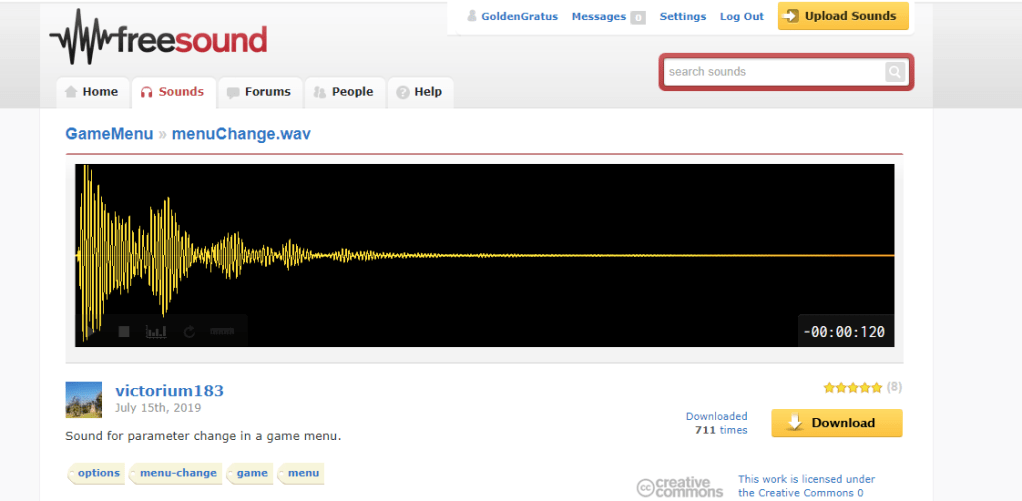
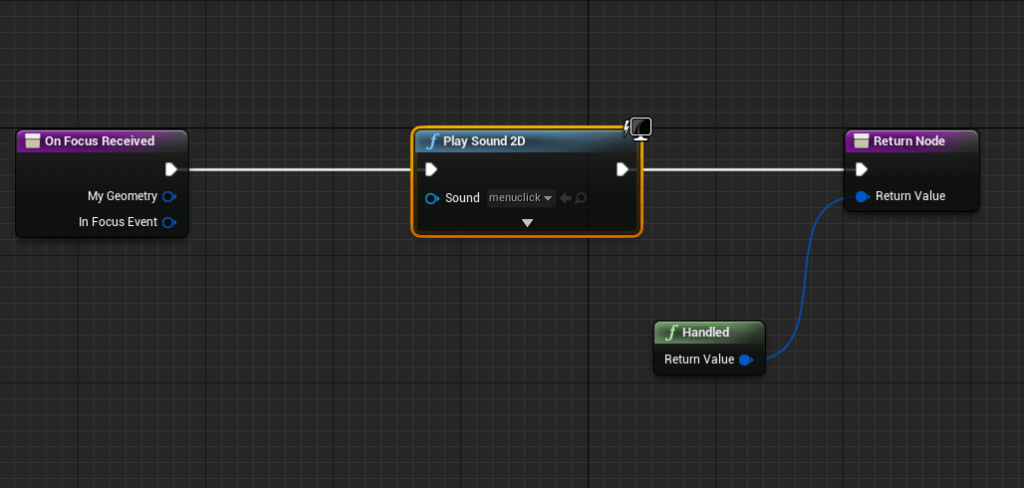
Was working on improving the focus logic for the keyboard/gamepad, so I searched for a simple sound I could add to the menu when navigating it. I overrode the focus function on the widget and added the sound there. When testing the functionality of the menu I couldn’t change the inputs with the keyboard, at least I couldn’t select them even when they were focused. I’m not sure what I did that broke the focus logic but it was completely broken for the custom widgets. They worked fine on the buttons which made it more frustrating because that didn’t help with finding out what was wrong. Well it told me the issue would be in the custom buttons I made, but I didn’t remember changing anything besides overriding the focus function. I deleted that and I double checked every function, menu, and widget.
It may have been the most frustrated I have been working on this game, because it was the first great stone wall I hit in a long time. Usually I know how to back track because I realize the mistakes I made and can easily fix it. Or I can go back to a previous version or save. But the problem was that I didn’t make any drastic changes. Either it was an issue with the engine itself, which wouldn’t have been a common glitch because I did dozens of different searches to try and solve my problem. Or it was one of the changes I made, which I never found because I never actually identified what the issue was.
After hours of trying to fix the problem I instead went around it, making a new solution, it would work but it wouldn’t tell me exactly what had been wrong. I went back to overriding the focus function, and I added more functionality so the input selector, where you changed the key, would become the specific focus of the menu navigation. And to my great relief it actually worked. I could move around the menus again with the keyboard and controller and change the keys themselves.



With that working I knew I had to get my act together. It wasn’t efficient to have all my separate button logic in completely separate objects/widgets. So I did the tedious work of moving all the logic to one button. That way whatever I update on that button updates for all of them. I knew that I would be doing this eventually, but the earlier issue had pushed me to finally get it over with. Too often I switch tasks even when I haven’t completely refined the feature I am working on. As much as I want to start improving other parts of the game. While I am working on the menus and the knowledge of how it works is still fresh in my mind, it would be good to continue improving it until I feel it is at a good place.
This pushed me to make sure the button was customizable so it could take an action or axis key and also know if it was a gamepad input or not. Those menus had to be separate in order to maximize space. The two menus for the keyboard and controller options are basically copies of each other. I will try to figure out how to make a more dynamic menu later on. Today I merely worked on the functionality of the inputs because as an avid gamer I know how important it is to be able to change the keys. And while it did its job of changing the keys to whatever you wanted it to be, I wanted it to be smarter and more dynamic.


My greatest achievement of the day was creating the function for detecting duplicate keys. As all my code begins, it was overly complicated and inefficient. I put too much function in the menu itself, and not enough inside the button where the function should be laid out so it could be used anywhere. I tried a few places to do the key check, but the best time seemed to be whenever a new key was inputted into any selector. While it was fine that the menu had a big SIGN that said Duplicates Detected, I wanted it to be even clearer than that. On the button itself I slapped on the Duplicate text so that way when I got it worked each duplicate key would show that there was a duplicate somewhere. The goal was that you didn’t have to try hard to find the duplicate, it would be clear which key had a matching key. Maybe I’ll add text that showed which actions had the duplicate key, I’ll think about it.
As I said I was having trouble find the best place and flow for the duplicate function. Most of the time it would not detect the right keys, or it would put the duplicate text on the wrong place. It wouldn’t remove the duplicate text even when there were none. It would make it visible when there were duplicates, but it didn’t have the functionality to check if it was clear.
After a lot of prodding, poking, experimenting, and sweating, I found that what worked was simply iterating over all the keys using the function of the duplicate key check whenever a key was changed or attempted to be changed. That way it will check or clear any duplicates. I had the epiphany when I was looking at my nodes and it was way too complex. It didn’t make sense to have too many overlapping variables. If I simply ran the check on every key for every change then it would basically solve itself.

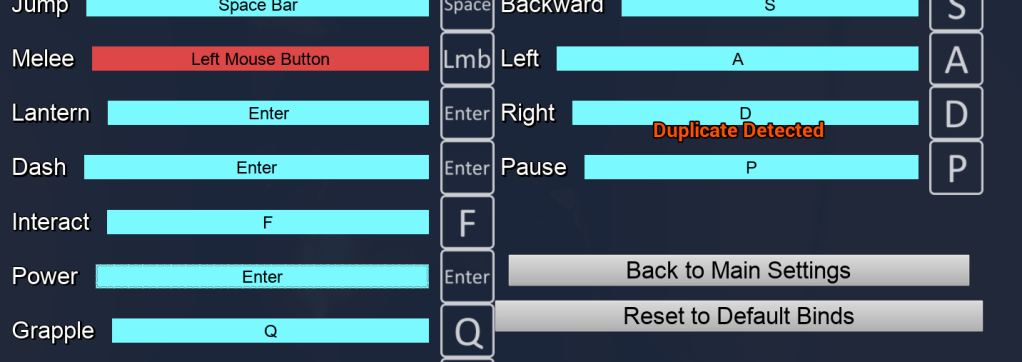


It is quite the satisfying thrill getting this to work. And while the menu isn’t pretty looking its functionality is superb. I will continue on working on the menu, at least improving the buttons so I can make my own custom ones then once I have that finished I can take a break from the settings and the options menus.
 GoldenGratus Games