
Over the weekend I couldn’t stop thinking about my problem with the camera jumping back and forth when it got too close to a lock-on target. I was able to fix this by identifying that it was the Y(Pitch) value of the rotation that was causing the issue, so I added a clamp to the value. So it no longer becomes jittery and the camera won’t become too vertically skewed. This change was also important to the big updates I made today to the melee attacks. I originally had root motion added to the melee attacks so that the character would move forward on its own when it attacked. The problem with this was that the player would often start to veer too far from the enemy because of the natural forward movement. I needed to figure out a way to have the character only move forward when the enemy was too far from an attack.
I tried many different methods, adding local offset, adding world offset, adding an impulse, launching the character, etc. It still didn’t work the way I wanted it too. I almost went back to adding the root animation to the attacks, and would just have different versions depending on the distances. But I thought about the future and if I wanted to add different weapons, which would require more animations. I was convinced I needed to create logic that would make adding future melee attacks more efficient.


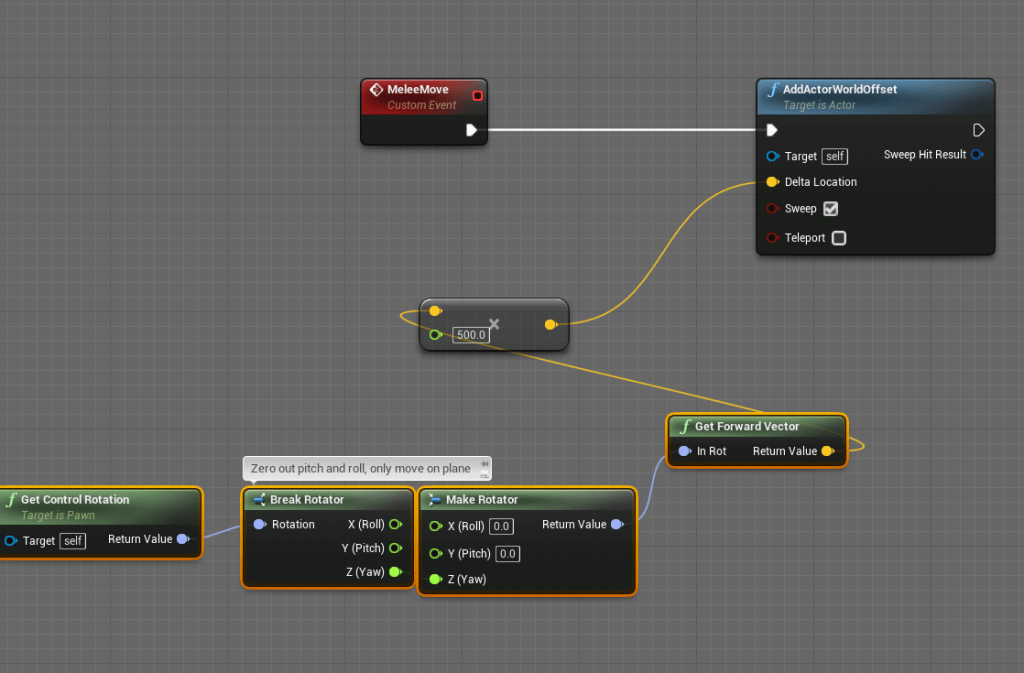
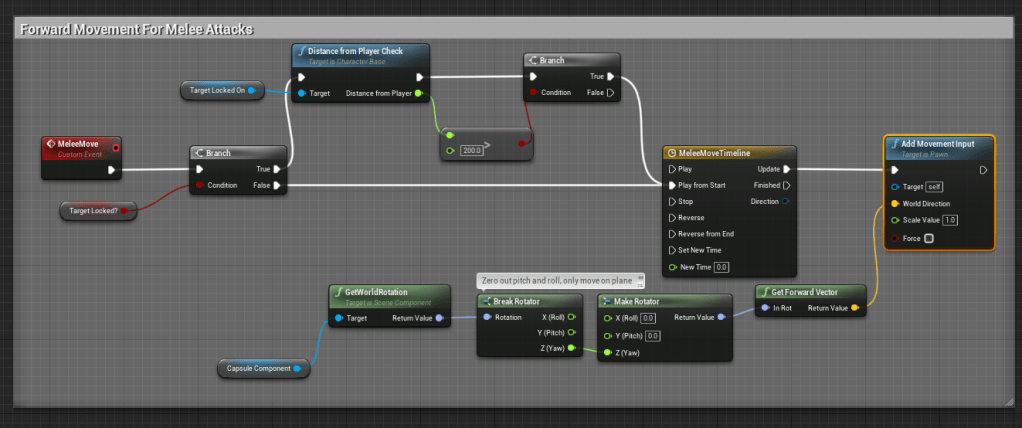
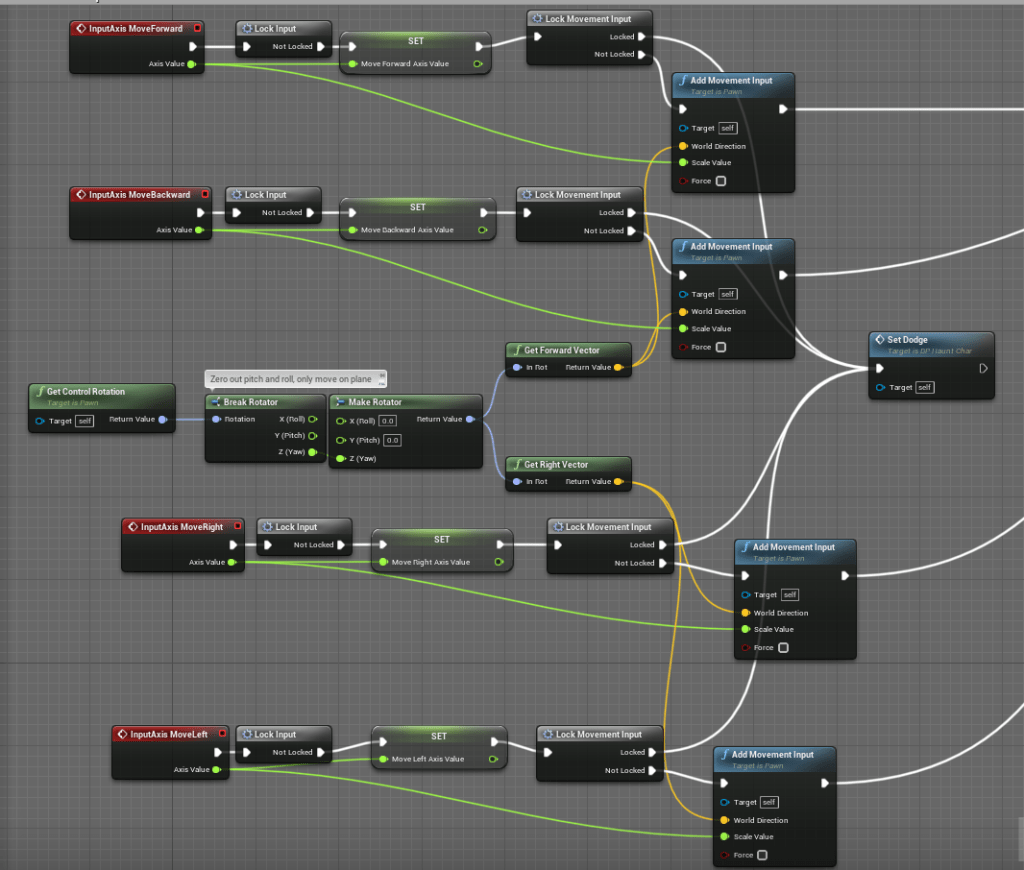
After awhile I realized I could get the character to move using the function add movement input, the same method that used the movement inputs to get the character to move. So what I needed to do was added a notification to let the character move for a certain period in the direction the character was facing. And while this was happening I needed to turn off the movement input so that the player can’t move the character while they are attacking. I don’t want it to be too easy to shift the direction in which the character is attacking. It needs to be deliberate and precise.
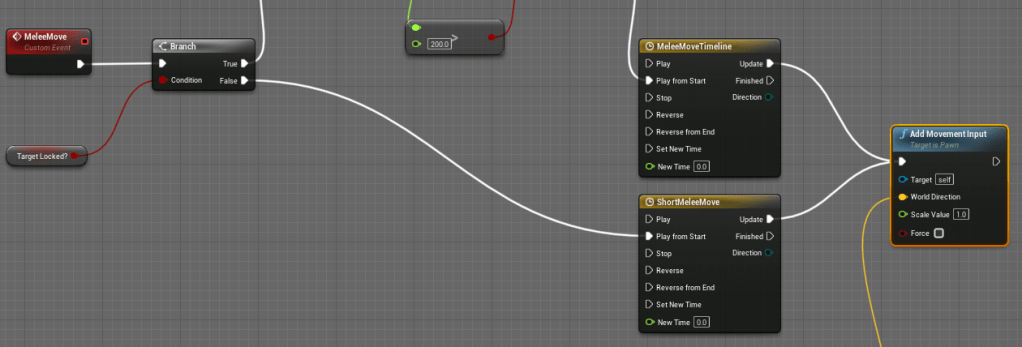
Using a distance check from the target locked I was able to create logic where the character would stop moving forward when it got near the enemy. For when the player is not locked on. I simply made the forward movement a shorter distance. Removing the root motion was necessary as well because it stopped the character from rotation towards the direction of the target that was locked-on, making it more difficult to hit. With this change attacking with the melee isn’t too frustrating and is easier to control and anticipate.


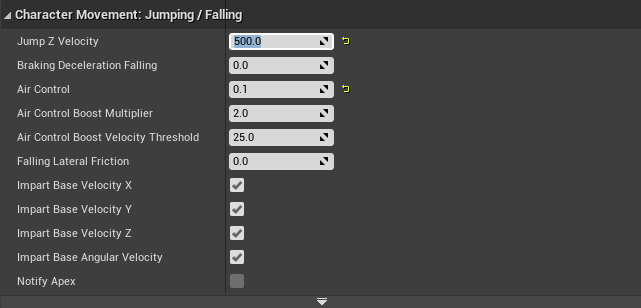
I set aside the melee movement for a bit to focus on the other aspects of the animation and movement. I adjusted the jump height to make it lower, so it didn’t take too long to land on the ground. I want the jumping to feel responsive, since I want to add dangers that need to be jumped over. I didn’t like how the sprint animation looked so I edited it slightly by bringing the arms closer to the body. I wasn’t sure if I showed it last time, but I had added a trail effect to the sprint, makes it looks way cooler.
Following the update of the melee movement I encountered a problem where the melee attack would not reset, a common issue of mine. It seemed to be occurring when character moved right after attacking. I will think if there’s a better way to approach resetting attacks, but for now it seems the best method for chaining attacks while repeatedly pressing the same input. I tried a few way to fix it, one being a check to see if the sword was visible, which means the character should be in an attacking animation. But it was too inconsistent and it would reset attacks in the middle of an animation. I instead used the notification of the animation entering the idle state, since that was where I was having issues. Upon entering the idle state I reset the melee attack logic. Made it work fine.


Some of the dodges always felt a bit inconsistent to me so I tried to adjust them to where I felt they felt better, changing how fast they were, the distance they moved the character, etc. I encountered an issue where the character would not dodge in the direction they wanted to if they tried to dodge while attacking. This was for two reasons, one was because I had locked the movement input so it wasn’t setting the direction of the dodge, and I had set the dodges to only work if the character was moving. So I updated those logics and it began to work again.
The speed at which the character moved when doing the melee attack felt too slow for my liking. I added a burst of speed which I promptly reset after the timeline is finished playing. It moves better, but I may add more speed later.
I will probably do one more day of working on animations then after that I will update some of the game mechanics. I have been thinking about some improvements for awhile, such as limiting the amount of heals, or some more interesting death mechanics.



 GoldenGratus Games